
Featured
-
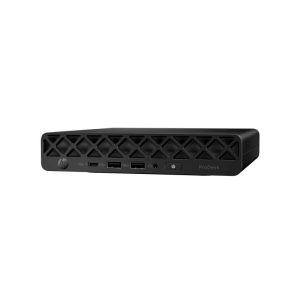 HP ProDesk 4 Mini G1i AI PC, Intel Core Ultra 5 225T, 16GB DDR5 RAM, 256GB NVMe SSD, Win11 Pro
£529.00 + VAT
HP ProDesk 4 Mini G1i AI PC, Intel Core Ultra 5 225T, 16GB DDR5 RAM, 256GB NVMe SSD, Win11 Pro
£529.00 + VAT
-
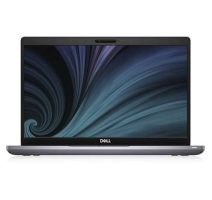
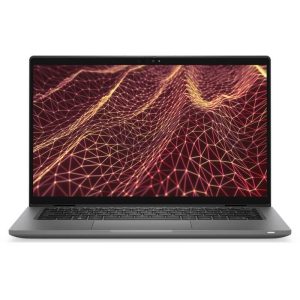 Dell Latitude 7430 14-inch TouchScreen Laptop Intel i5-1245u 16GB RAM 256G SSD Win11
£249.00 + VAT
Dell Latitude 7430 14-inch TouchScreen Laptop Intel i5-1245u 16GB RAM 256G SSD Win11
£249.00 + VAT
-
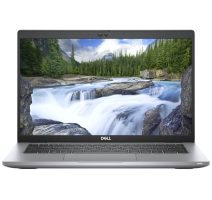
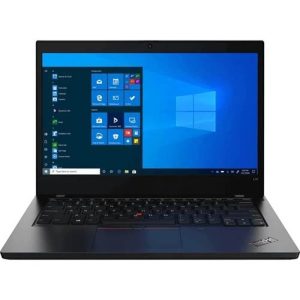 Lenovo ThinkPad L14 Gen2 14-inch Laptop Intel i5-1135G7, 8GB RAM, 256GB SSD Win11
£179.00 – £209.00 + VAT
Lenovo ThinkPad L14 Gen2 14-inch Laptop Intel i5-1135G7, 8GB RAM, 256GB SSD Win11
£179.00 – £209.00 + VAT
- Please choose product options by visiting HP ProBook 635 Aero G8 AMD Ryzen 5 5600U, 8GB RAM, 256GB SSD, Win11 Pro.
-
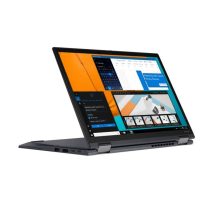
Lenovo ThinkPad T14s G1 Intel i5-10210U 8GB DDR4 256GB SSD Win11 Pro 14-inch Laptop
Out of Stock
 £169.00 + VAT
Out of Stock
![[NEW] Lenovo IdeaPad Slim 3 Gen 11 14-inch Intel Core Ultra 5 322, 16GB RAM, 512GB SSD, Wi-Fi 7, Win11](https://www.tech-bazaar.com/wp-content/uploads/2026/10/Lenovo-IdeaPad-Slim-3-Gen-11-212x200.jpg)

Refurbished Laptops for Students
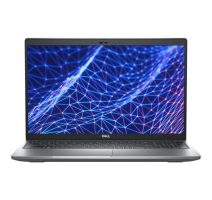
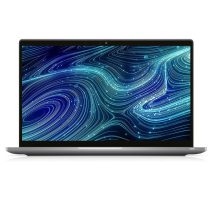
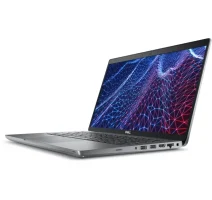
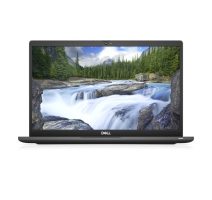
If you’re staring down a reading list, a dissertation deadline, or your first term at uni and you don’t want to blow half your maintenance loan on a laptop, you’re in the right category. Every machine here is a refurbished, business-grade laptop — think Dell Latitude, Lenovo ThinkPad, HP EliteBook and Microsoft Surface — tested, graded, and sold at a fraction of what you’d pay new.
That’s not a compromise. Business laptops are built to survive years of daily commercial use, which usually means better keyboards, sturdier hinges, and more repairable components than a lot of budget consumer laptops fresh out of the box. Buy one secondhand once a company has finished its lease cycle, and you get hardware that was genuinely expensive a year or two ago, at a price that fits a student budget now.
Every laptop on this page runs Windows 11 Pro, has been checked and graded by our technicians, and comes with a warranty — so you’re not gambling on an unknown eBay listing. Prices currently start from £139 + VAT, and we offer free 1–2 day UK delivery on orders over £50.
How to Choose the Right Student Laptop (Buying Guide)
You don’t need the most powerful laptop in the shop — you need the right one for what you’re actually going to do with it. Here’s what to actually look at.
1. RAM — get 8GB minimum, 16GB if you can
8GB is fine for essay writing, browsing, email, and lecture slides. If you’re doing anything with multiple browser tabs, statistics packages, Adobe software, or coding environments — which covers most business, computer science, engineering, and design courses — 16GB will keep the laptop feeling fast for the full length of your degree, not just the first term.
2. Storage — SSD, not HDD, non-negotiable
Every laptop in this category has an SSD. This is the single biggest difference between a laptop that feels sluggish and one that boots in seconds and doesn’t grind to a halt when Windows updates itself the night before a deadline. 256GB is enough if you’re mostly saving to cloud storage (OneDrive, Google Drive); go for 512GB if you’re storing large files locally — video, CAD projects, design assets.
3. Processor — match it to your workload
- Intel Core i5 / Core Ultra 5 — the sweet spot for most students. Handles Office, browsers, Zoom/Teams calls, and general coursework without breaking a sweat.
- Intel Core i7 / Core Ultra 7 — worth the extra spend if you’re running data analysis tools, CAD software, video editing, or virtual machines.
- AMD Ryzen 5 — a solid, efficient alternative where available, particularly good for battery life.
4. Screen size and weight
If you’re carrying it between lectures every day, 13–14 inches keeps things light on your back. 15.6-inch models trade portability for a bigger canvas — better if you’re doing more of your work at a desk than on the move.
5. Battery life
Look for anything rated 8+ hours in real-world use, not just the manufacturer’s lab figure. A laptop that dies halfway through a 9am–5pm timetable isn’t doing its job. Business laptops (which is what all of these are) tend to have more realistic battery ratings than flashier consumer models.
6. Touchscreen — nice to have, not essential
Several models here, including the Microsoft Surface Pro and select Dell Latitude and Lenovo ThinkPad units, have touchscreens. Useful for note-taking apps like OneNote, not essential for most coursework.
Understanding Refurbished Laptop Grades
Every laptop is graded honestly before it’s listed, so you know exactly what you’re getting:
| Grade | Condition | What to expect |
|---|---|---|
| Grade A (Excellent) | Like-new | Minimal to no visible wear, closest to a new laptop in appearance and feel |
| Grade B+ (Good) | Light use | Minor cosmetic marks — scuffs or light scratches — that don’t affect performance |
| Grade B- (Fair) | Visible use | More noticeable cosmetic wear, still fully tested and functional, best value for money |
In every case, “refurbished” refers to the laptop’s cosmetic condition — not its performance. All units are fully tested, and functional issues are repaired before a laptop is ever listed for sale. If budget is tight, a Grade B- laptop with the specs you need will outperform a brand-new laptop with specs you don’t.
Popular Student Laptops Compared
A quick side-by-side of the kind of models you’ll find in this category, to help you narrow things down before you start filtering:
| Model | Best for | Typical specs | Weight |
|---|---|---|---|
| Dell Latitude 5000 series | All-round coursework, essay writing, video calls | i5/i7 or Core Ultra 5/7, 8–16GB RAM, 256–512GB SSD | Medium (14–15.6″) |
| Lenovo ThinkPad T-series | Typing-heavy work, note-taking, reliability | i5/i7, 8–16GB RAM, 256GB SSD | Light–medium (13–14″) |
| HP EliteBook / ProBook | Budget-conscious students, business courses | i5, 8–16GB RAM, 256GB SSD | Medium (14″) |
| Microsoft Surface Pro | Note-taking with a pen, portability, 2-in-1 flexibility | i7, 16GB RAM, 256GB SSD | Very light (12.3″) |
| Dell XPS | Students who want a premium feel on a budget | i7, 16GB RAM, 512GB SSD | Light (13.3″) |
This table is illustrative — actual in-stock models and specs vary; use the on-page filters for live pricing and availability.
Why Buy a Refurbished Laptop for University
- Save 40–70% versus new — that difference can cover a term’s worth of textbooks, or just take the pressure off your loan.
- Better specs for your money — the budget that buys a low-end new laptop buys a genuinely capable business laptop refurbished.
- Tested and warrantied — every laptop is checked before listing and backed by a warranty, so you’re not taking a punt on an unverified private sale.
- Better for the planet — extending a laptop’s working life keeps it out of landfill and cuts the demand for new manufacturing, the biggest source of a laptop’s carbon footprint.
- Windows 11 Pro included — every unit is ready to go out of the box, with the licensing already sorted.
Frequently Asked Questions
Are refurbished laptops good for students?
Yes. Most refurbished laptops sold for student use are ex-business machines — built to a higher spec than typical budget consumer laptops, then tested and repaired before resale. For everyday coursework, research, and video calls, a graded refurbished laptop performs just as well as a new one costing significantly more.
What’s the difference between a refurbished and a second-hand laptop?
A second-hand laptop is sold as-is, with no guarantee of testing or repair. A refurbished laptop has been professionally inspected, had any faults fixed, been cleaned and graded for cosmetic condition, and comes with a warranty — so you know what you’re buying and you’re covered if something goes wrong.
How much should I spend on a laptop for university?
For most courses, £150–£300 covers a well-specced refurbished laptop with 8–16GB RAM and an SSD — enough for the full length of a degree. Courses involving CAD, video editing, or data-heavy software may benefit from a higher-spec i7 model closer to £300–£450.
What specs do I need for a student laptop?
As a baseline: an Intel Core i5 (or equivalent) processor, 8GB RAM, and an SSD for storage. If your course involves heavier software — engineering, computer science, architecture, media — look for 16GB RAM and an i7 or Core Ultra 7 processor.
Do refurbished laptops come with a warranty in the UK?
Yes. Every laptop in this category is sold with a warranty as standard, giving you cover against faults after purchase — something a private second-hand sale won’t offer.
Is 8GB RAM enough for university work?
For essay writing, research, browsing, and video calls, yes. If you regularly run multiple demanding applications at once — statistical software, coding environments, design tools — 16GB will keep things running smoothly for longer.
What do Grade A, B+, and B- mean?
They describe cosmetic condition, not performance. Grade A is closest to new with minimal wear, B+ has light, minor marks, and B- shows more visible signs of use. All grades are fully tested and functional — the difference is purely how the casing and screen look.
Can I return a laptop if I’m not happy with it?
Yes, returns are accepted within the stated return window — see the Return Information page for full details.
How long does a refurbished laptop last?
With an SSD and reasonable care, a well-specced refurbished business laptop typically lasts 4–6 years of regular use — comfortably covering an undergraduate or postgraduate degree.
Is it worth buying refurbished instead of new?
For students specifically, yes in most cases. You get a higher-spec, business-grade machine for the same money a lower-spec new consumer laptop would cost, backed by testing and a warranty — with the added benefit of a smaller environmental footprint.
